Invite members
You can benefit from VisionCloud on your own, yet it is through teamwork that its true power is realised.
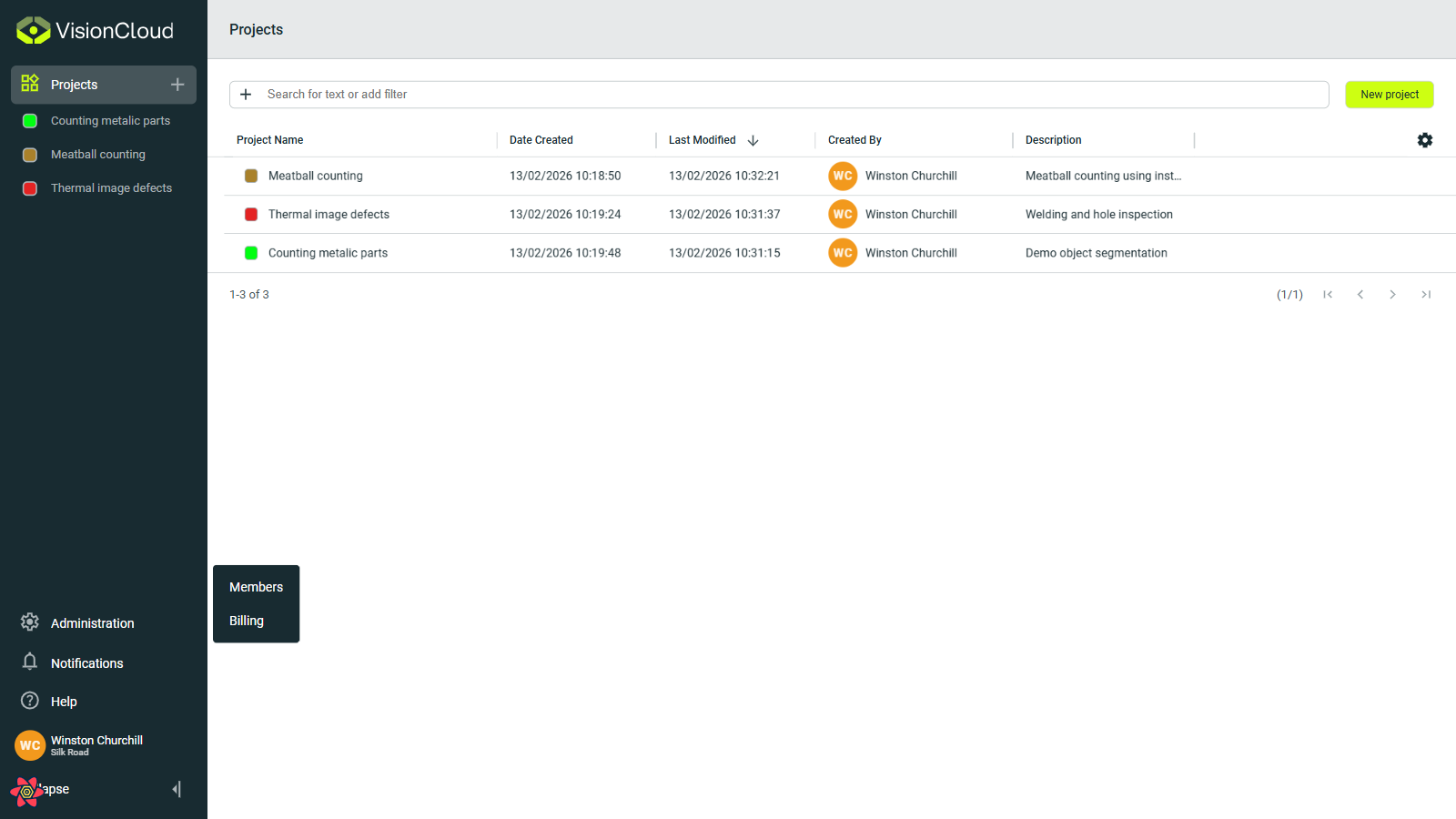
To create a team, you can invite new members through the Administration > Members. Only organization administrators have permission to send invitations.
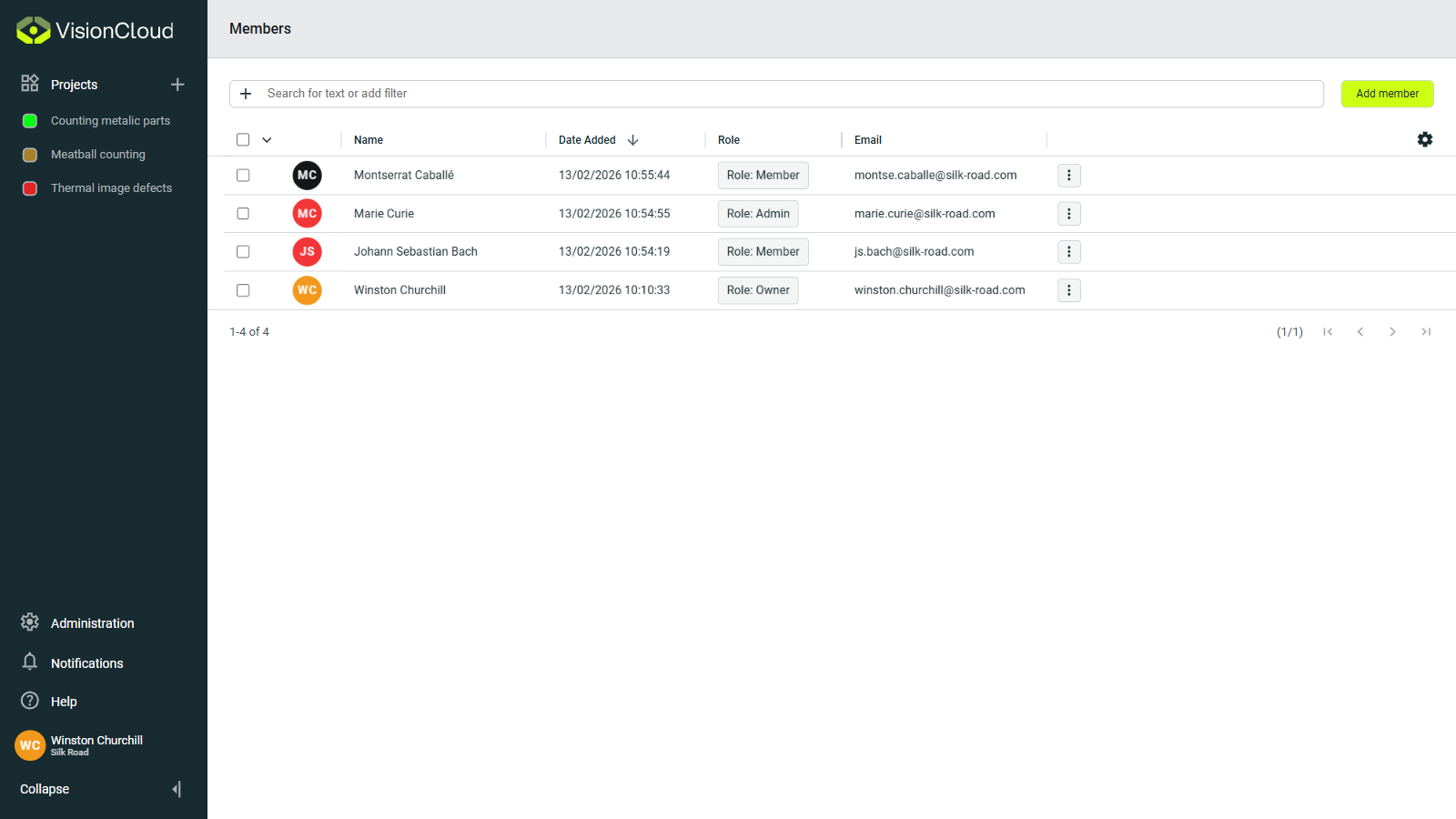
In the Members section, you can view existing users in your organization and manage their roles. You can also invite new members by clicking Add member.
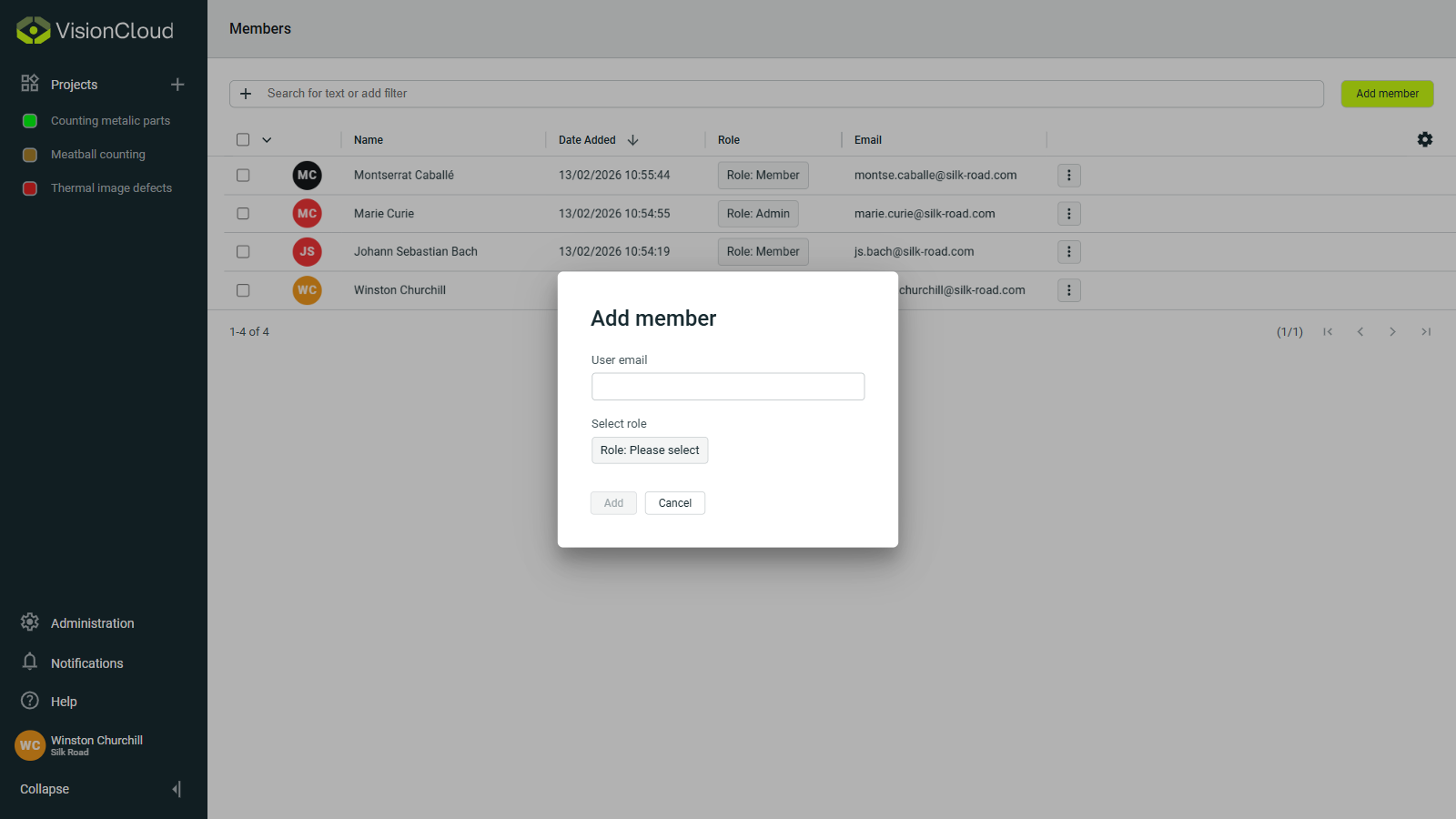
When you click the Add member button, a popup will appear asking for an email address and a member role. To invite a member to the organization, enter the email of an existing VisionCloud user.
A member's role determines the access a user has to the organization, providing more or less actions depending on the role. You can later change their role as needed.