Create a project
A project is a way of organising your work in VisionCloud. It acts as a container for datasets and models associated with a specific computer vision task.
Projects table
You can access your most recently used projects from the left-hand sidebar, or view all projects within the organization by clicking the Projects button at the top of the same sidebar.
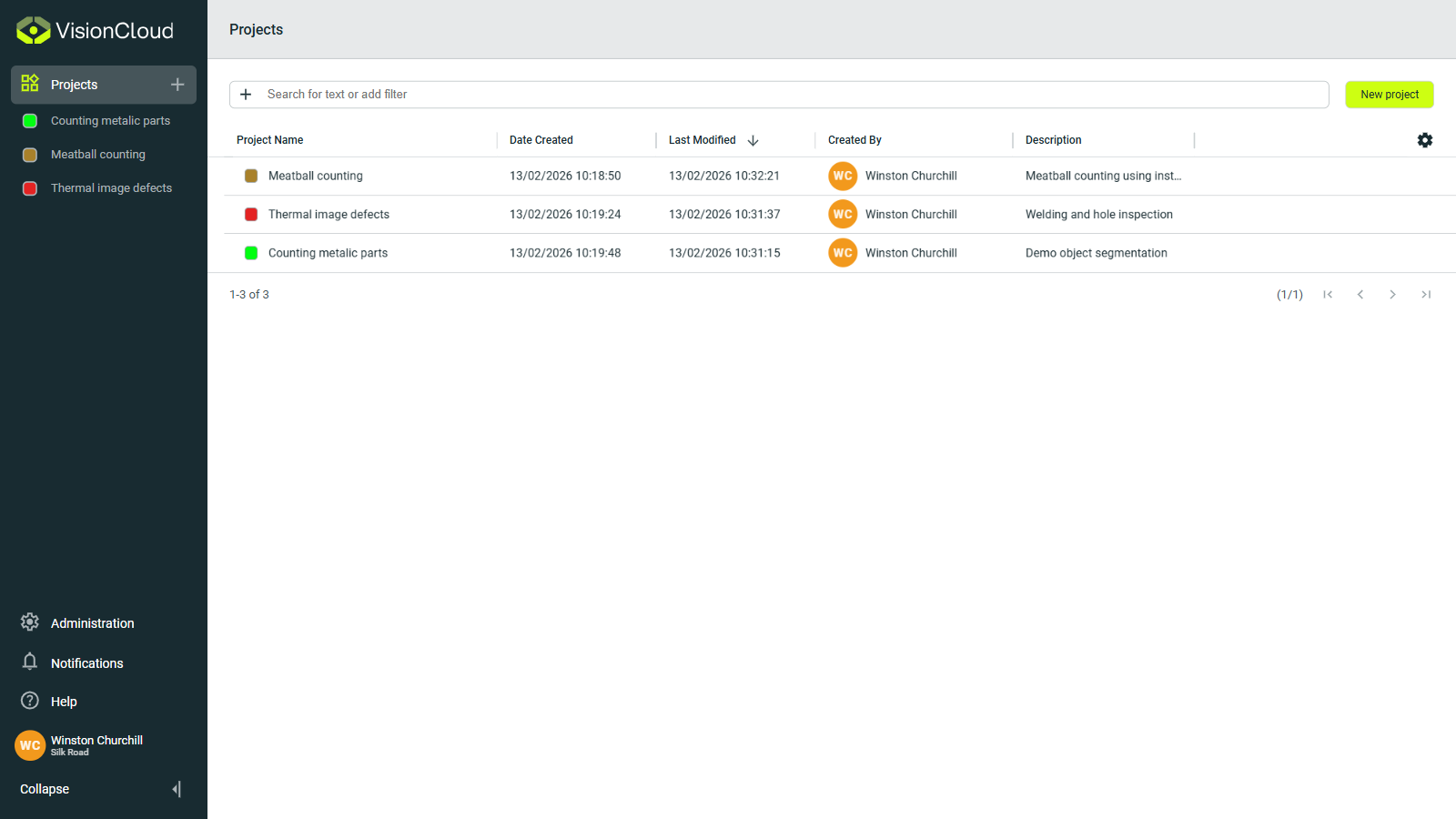
Projects can be searched and sorted to help you quickly find what you need.
Project creation
You can easily create a project by clicking the + sign next to the Projects button, or by selecting New project in the Projects view. When you do so, a form will appear where you can enter the details of your project.
Only organization administrators can create new projects.
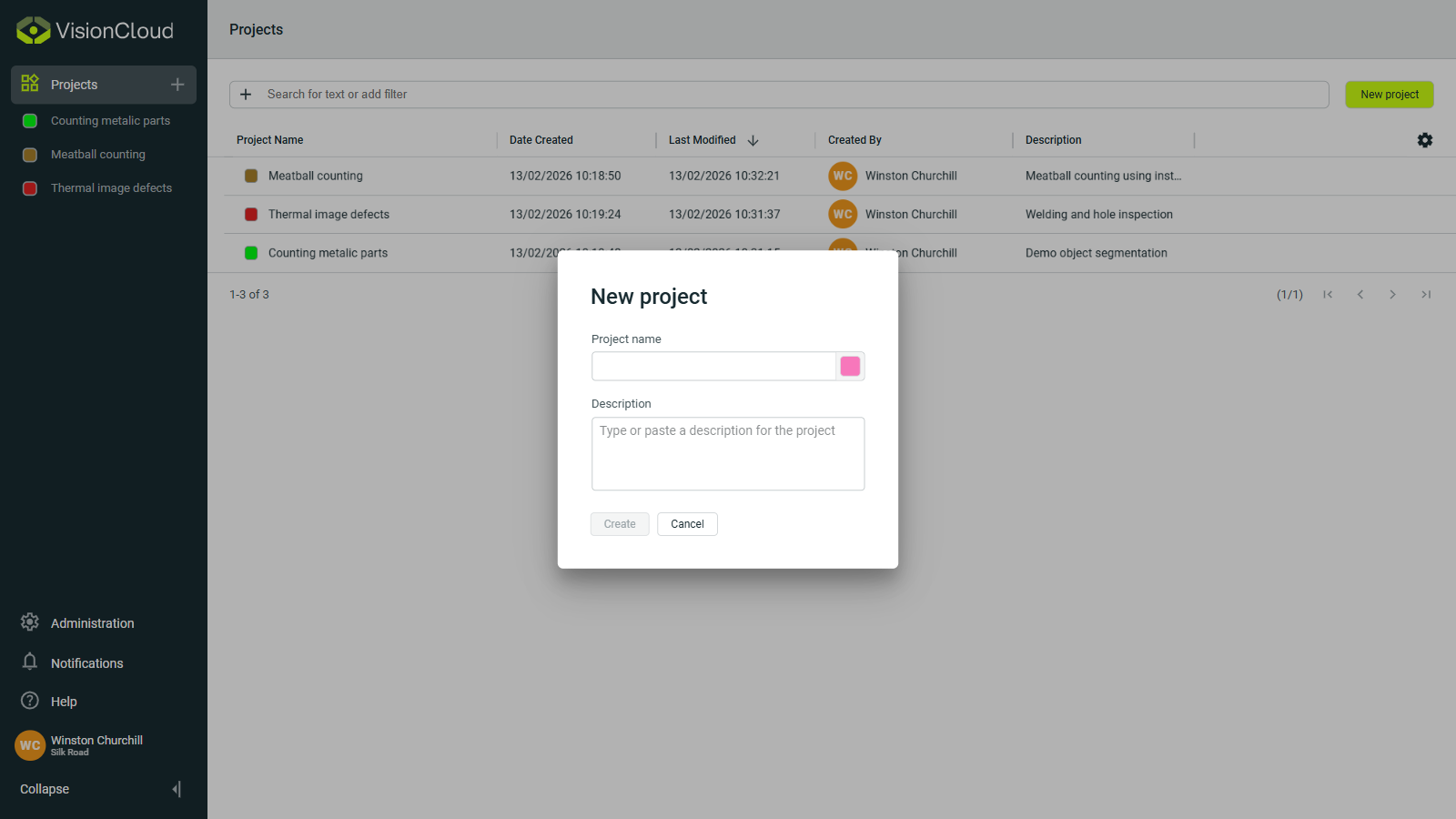
In the form, you must specify:
- Project name: A unique name for your project.
- Description: A brief description of the project’s purpose.
Inside a project
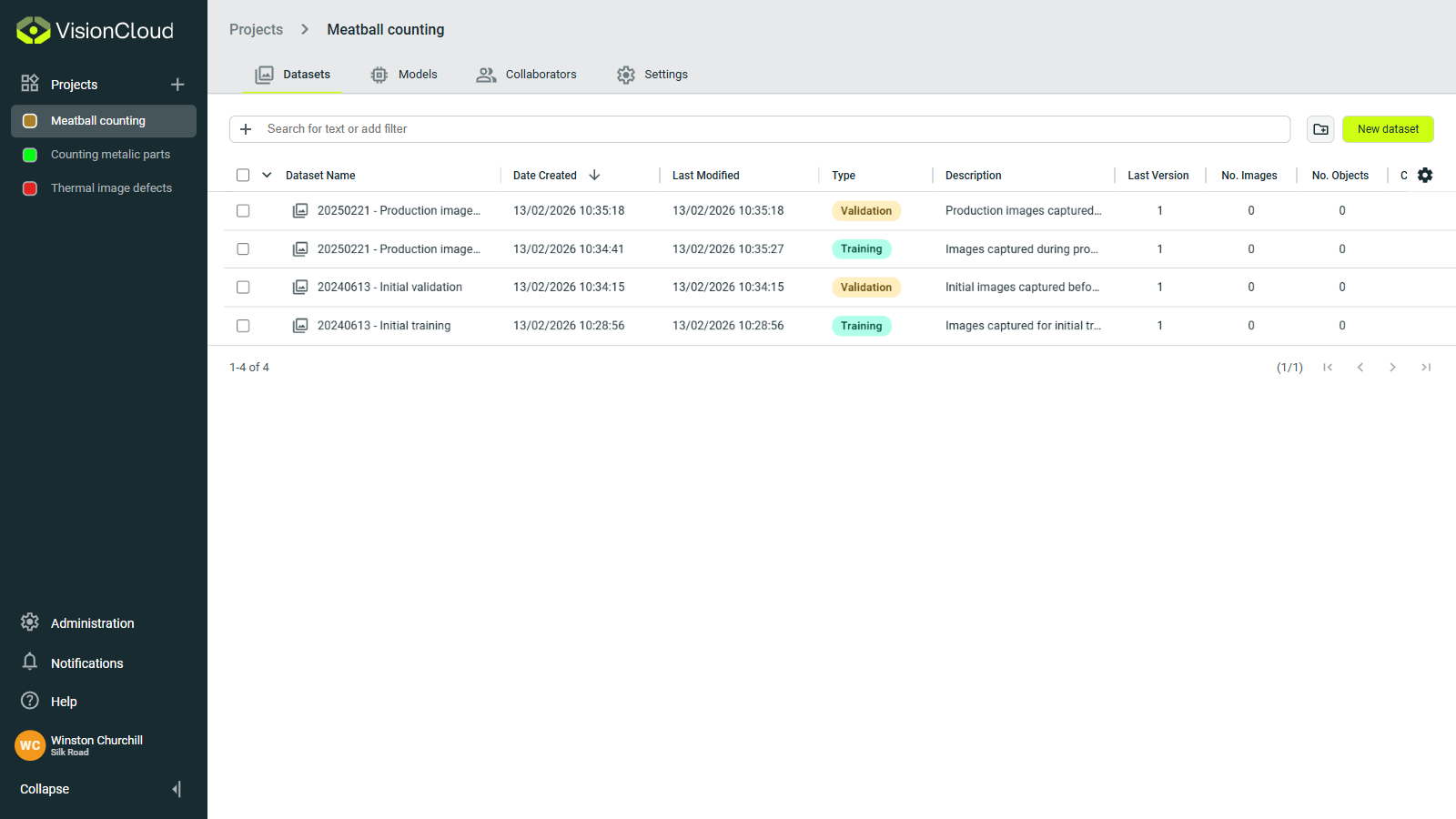
When you open a project, you will find four main areas:
- Datasets: Curated sets of images, with or without annotations, that provide the ground truth and input distribution necessary for training, validation, and performance assessment of your computer vision models.
- Models: Neural networks created for your computer vision task.
- Collaborators: Organization members who have access to the project.
- Settings: General project configuration.