Create a model
Models overview
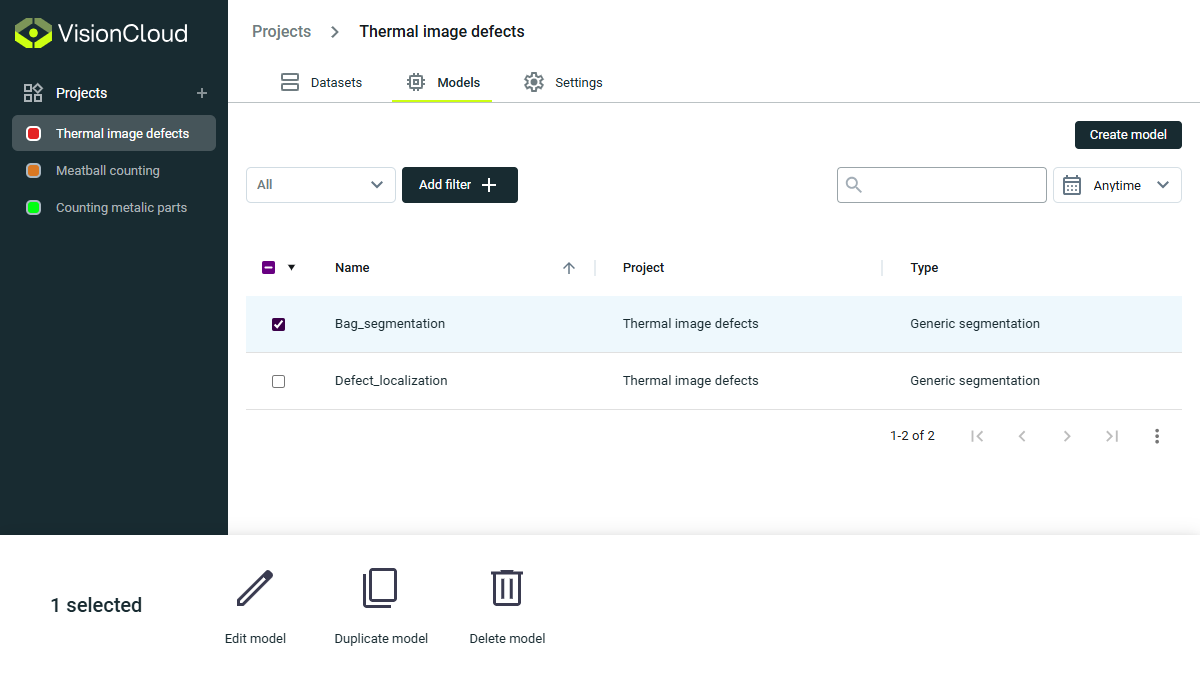
Inside any project, heading to the Models section opens up a powerful control center.
Here, two main actions become available:
- Create new Deep Learning models from scratch.
- Browse and manage the details of models you've already created.
This is the starting point for managing all your AI training workflows in one place.
A model is an AI program trained to perform a specific computer vision task. Once trained, it can analyze new images and make predictions based on patterns learned from your labeled data.
Models are the output of your training process. A well-trained model can automatically detect, classify, or segment objects in production images without human intervention, enabling automated quality control and real-time decision-making.
Think of models as specialized employees you can train to perform specific visual tasks with increasing accuracy over time.
Model creation
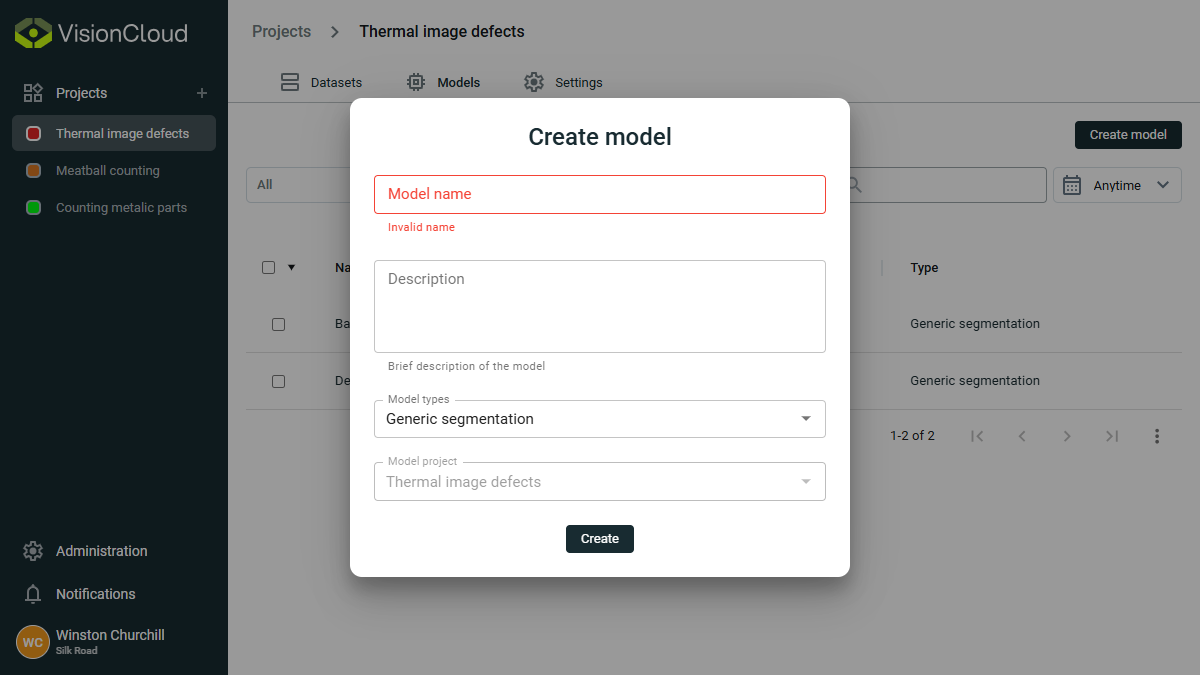
Clicking to create a model brings up a simple and intuitive pop-up.
Here you can:
- Give your model a unique name.
- Select the type of model best suited to your task. (See Model Types)
When naming your model, consider using a convention that includes:
- The name of the client or project (e.g., "IDVision_task")
- The purpose of the model (e.g., "Client_product_defect_detector")
- The dataset it uses (e.g., "SilkRoad_machine_parts_inspector")
- A version indicator (e.g., "IDVision_fabric_quality_v1")
Clear naming helps when you need to manage multiple models or versions for different purposes.
Models table
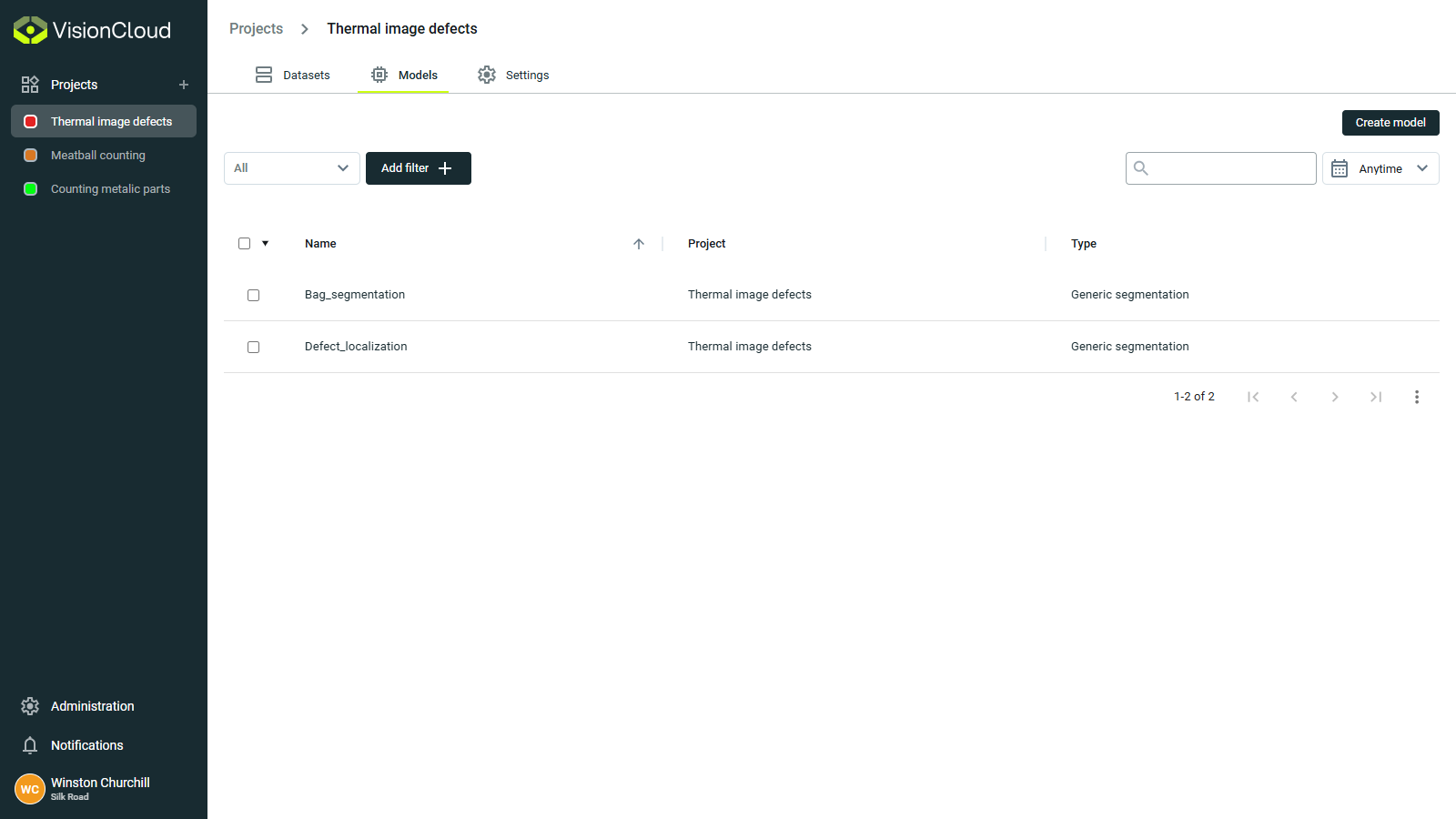
The models table view provides an overview of all models in your project, with powerful management tools:
Model actions
✏Edit info: Modify model name, description, or other properties.🗏🗏Duplicate: Create an exact copy of a model.🗑Delete: Remove a model (requires confirmation) - individually or in batch.