Filtering Units
Units can be filtered by serial number, project, date and Results. To add a filter, click the Add filter button. You can add multiple filters if needed. To remove a filter, click the X next to it.
The filtering will allow you to export only certain Units. Read more
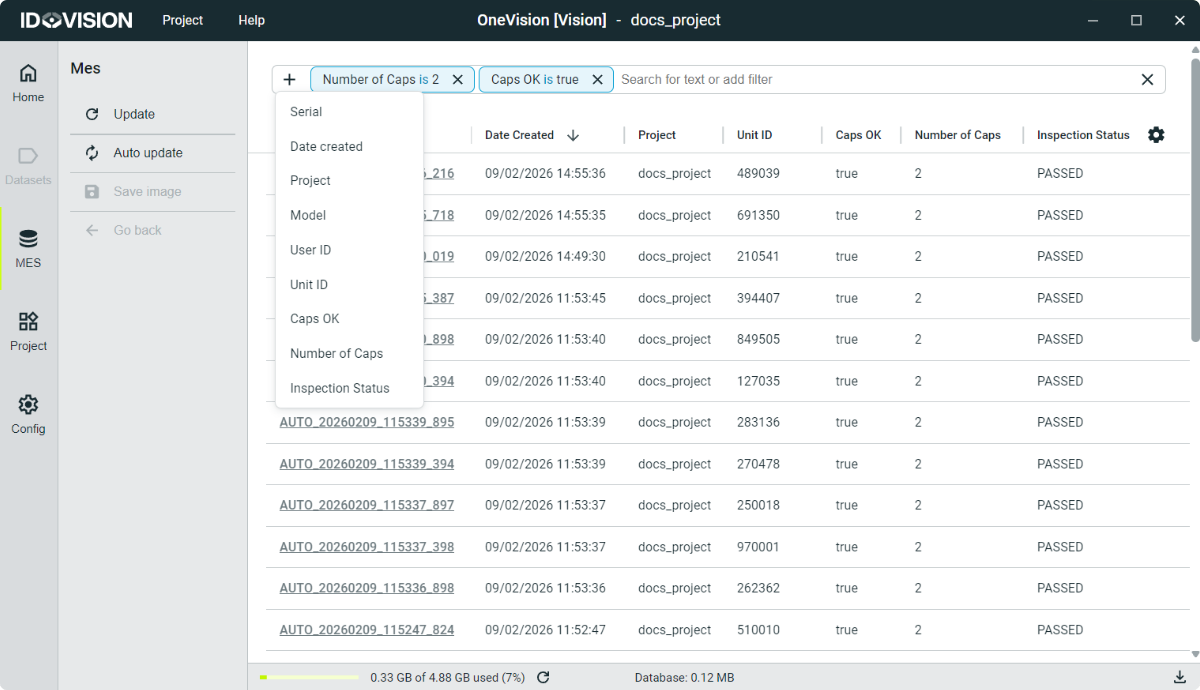
When the runtime is running, if you are in the MES section, newly added Units will not appear automatically so they don’t disrupt your work.
However, if new Units have been added to the database, the Update button in the top-left corner of the screen will display a small dot. This indicates that the current table is not up to date and new data is available. Clicking the button will refresh the table and show the latest entries.
If you want the table to refresh automatically at regular intervals, click the Auto Update button. You can configure this auto-update interval in the Settings section.