What is MES?
Now we understand what a Unit is, we can learn where the Units are stored and managed by OneVision.
Units are saved in the MES database. You can view this data in the MES section, where all saved Units are listed. Each Unit has several tags, such as the serial number, project, date, and any Results you added. OneVision automatically cleans old data from the database when the configured limits are reached.
Units can have more than one capture.
The Units are not saved automatically in the MES, you have to do it by code.
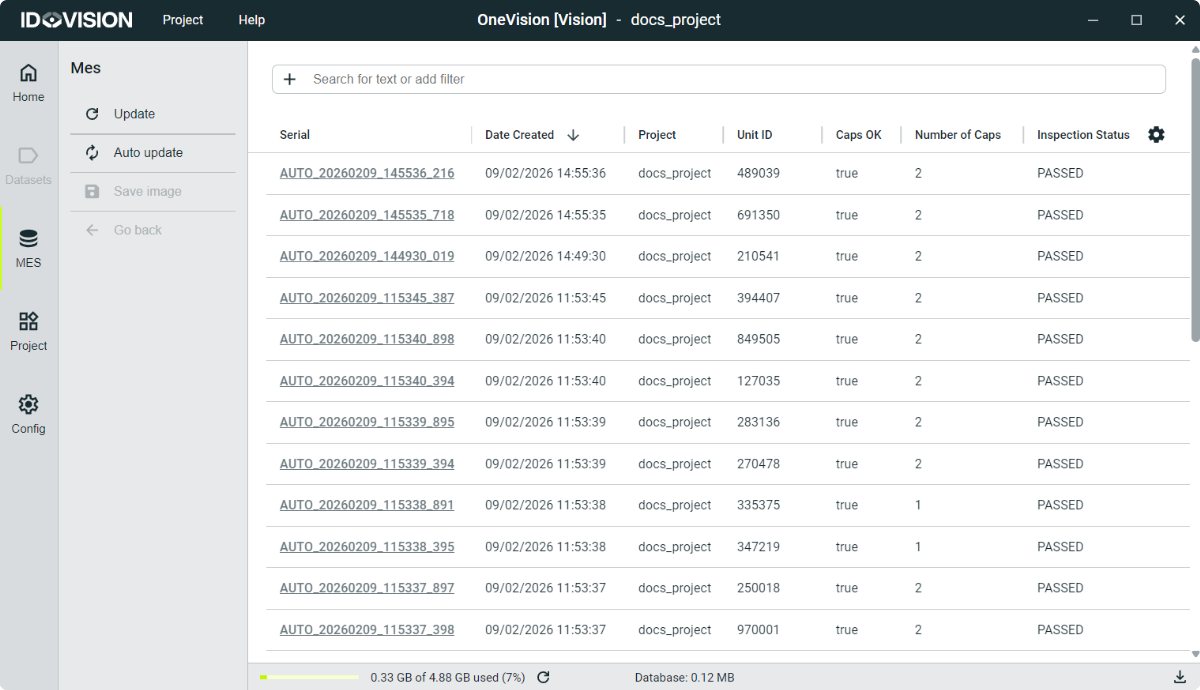
The MES name comes from Manufacturing Execution System, because this is where you can query the internal production database. It is used to have traceability of the inspected products.
Here are some things you can do in the MES section:
- Open a Unit: Open a Unit in the image display. Read more
- Filter Units: Units can be filtered by serial, project, date and Results. Read more
- Export data: The filtered Units can be exported to save the information. Read more
Additionally, you can disable MES or dedicate more disk space in Settings.