Add a Camera
Here we will learn how to configure the cameras used by your vision application and check their status in real time.
To add a camera controller, go to the Cameras subsection in the Project section and click the + button in the top right corner. It will show a dialog with the next sections:
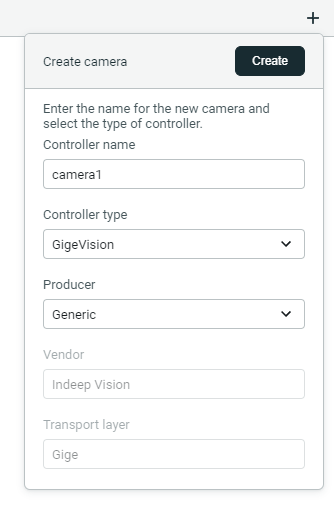
Controller name
Here you can choose the name of this camera. Must be unique and is used across the application to identify the camera. It can be changed later.
Controller type
There are four controller types:
- GenTL: External controller type made by a camera producer.
- GigeVision: Standard controller for GigE Vision cameras.
- Usb3Vision: Standard controller for Usb3 Vision cameras.
- Emulation: Controller that can be used to test the application without a real camera.
Its recommended to use the GigeVision or Usb3Vision controllers.
Additional controller types can be added by installing plugins.
Producer
If GenTL controller type is selected, multiple producer options might be available, which correspond to different camera manufacturers or different data transmission protocols (transport layer).
For the GenTL controller the producers are normally installed with the camera drivers. The producers are DLL files with extension .cti that implement the functionality of the camera for a specific vendor. OneVision will obtain the list of producers from the environment variable GENICAM_GENTL64_PATH (do not confuse it with GENICAM_GENTL32_PATH, for 32-bit applications). This environment variable is normally populated by the camera drivers installer.
If GigeVision or Usb3Vision controllers are selected, the only producer option is Generic. For the Emulation controller there is also only one producer available, which is Emulation.
Vendor
Read-only field that shows the vendor (or manufacturer) of the producer (not the camera, though in many cases they are the same) if the GenTL controller is selected.
Transport layer
Read-only field that shows the transport layer of the camera, which is the transmitting protocol, corresponding to the selected producer. Available transport layer values are:
| Transport layer | Description |
|---|---|
| Gige | GigE Vision (GEV) |
| Usb3 | USB3 Vision (U3V) |
| Emulation | Internal emulation type |
| Unknown | Unrecognized type or various transport layers for the same producer |
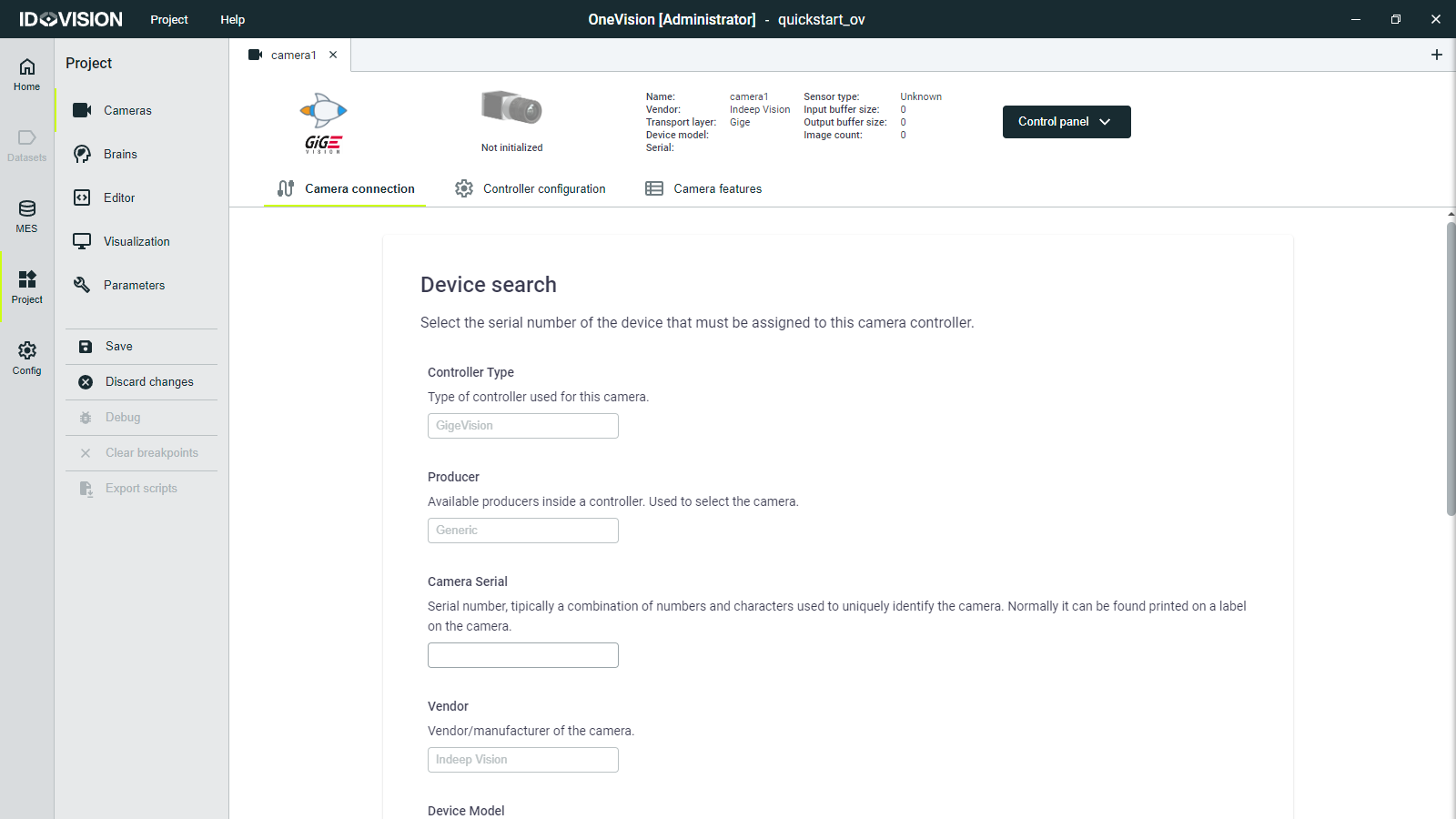
Click Create and you will see a new tab for your camera.