Collaborative labeling
The interface supports real-time collaboration among team members.
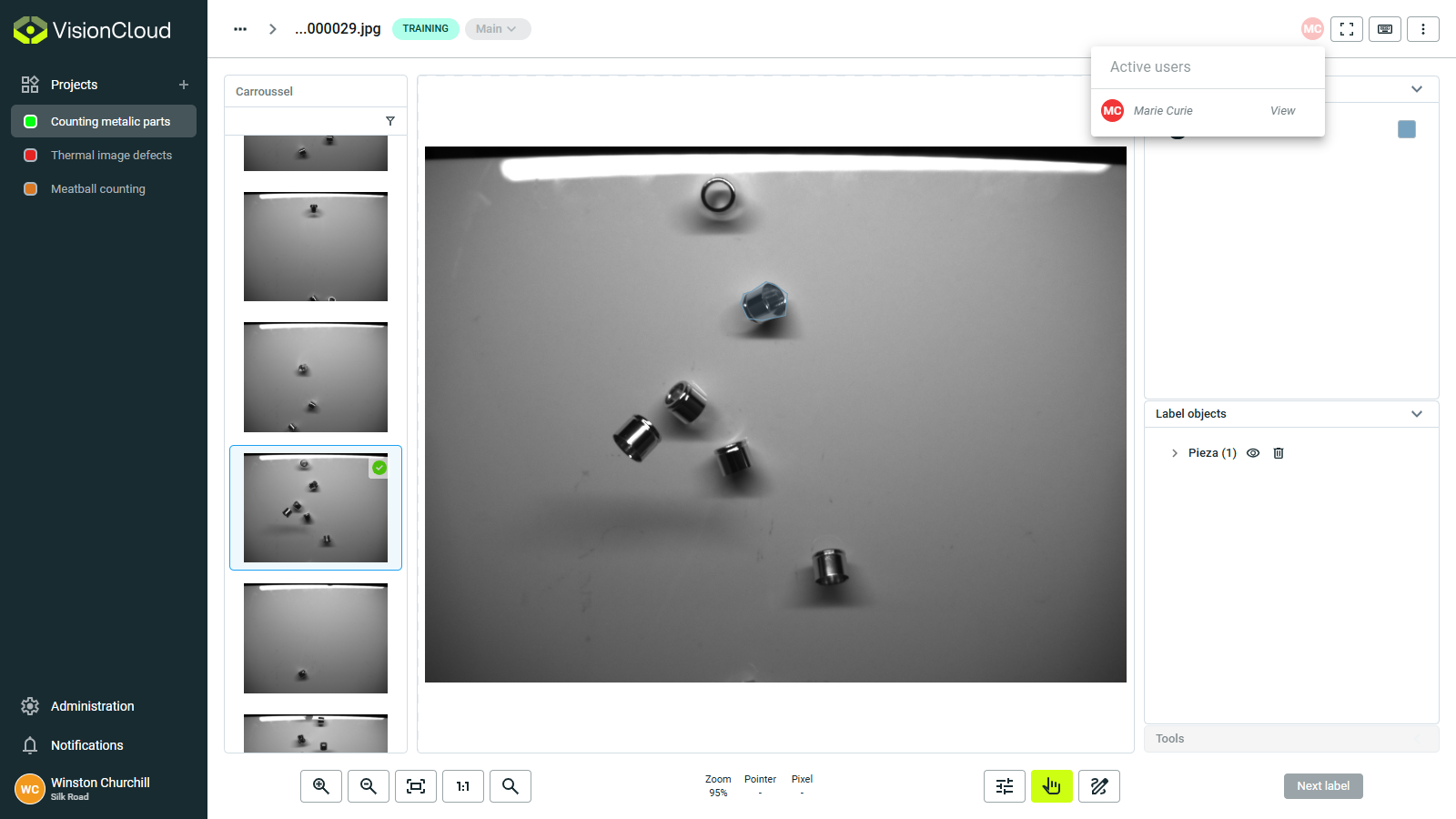
User awareness
Stay informed of team activity:
- Active users panel: See who is currently working in the dataset.
- Position indicators: Identify which images team members are viewing or editing.
- Status updates: Receive notifications when others make significant changes.
- Color-coded identity: Each user has a distinct color for their annotations and cursors.
Collaborative workflow
Efficiently distribute work among team members:
- Progress tracking: Monitor completion status across the team.
- Conflict resolution: Built-in mechanisms to prevent overlapping edits.
- Real-time synchronization: See changes from other users immediately.
- Task assignment: Allocate specific images or annotation tasks to team members - you can assign them through datasets Tags or comments.
Communication tools
Interact with team members within the app:
- Annotation comments: Attach notes or questions to specific datasets.
- Change notifications: Get alerts when others modify your work.
- Version control: Track changes and maintain consistent dataset states.