Configure Controller
When you create a communications controller a new tab for it will appear in the Communications section. This tab has three subtabs: manual control, interface definition, and configuration.
Interface definition
Here you can create and modify the communication variables. A single table is shown with all the variables, similar to the actions table or the results table.
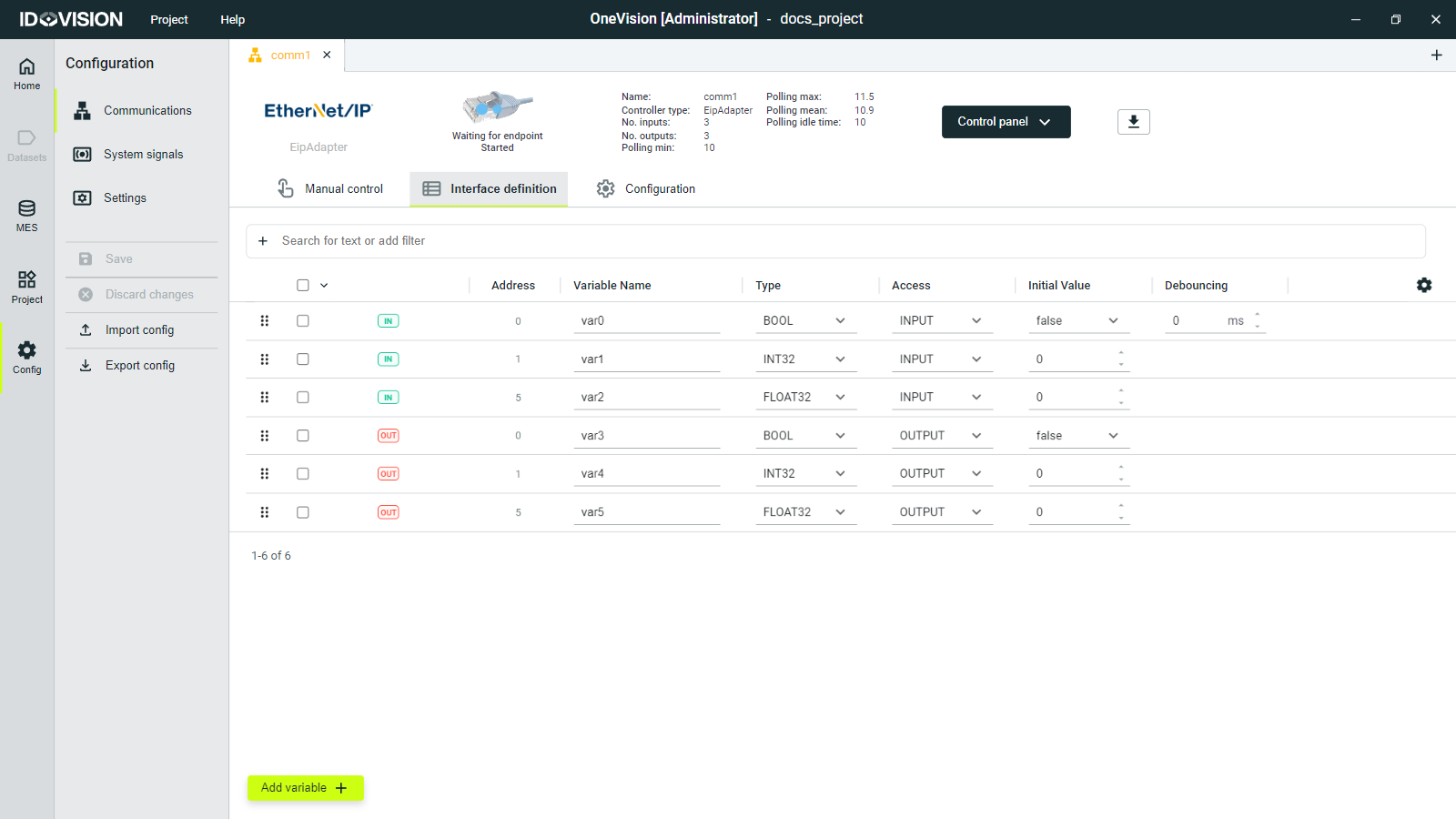
To create a variable, click the Add variable button at the bottom of the screen, and a new variable will appear in the variables table.
Each variable has the following tags which you can modify:
- Address: The byte position of the variable. The positions show can change depending on the controller type.
- Variable name: A unique name for the variable.
- Type: The type of the variable. It can be STRING (string), BOOL (boolean), UINT16 (unsigned 16-bit integer), UINT32 (unsigned 32-bit integer), INT16 (16-bit integer), INT32 (32-bit integer) and FLOAT32 (32-bit float).
Not all types will be available for all the controller types.
- Access: Input variable or output variable.
- Initial value: You can set the initial value for all the variables.
- Debouncing: You can set the debouncing time for input booleans.
In OneVision, a BOOL occupies 1 byte.
Configuration
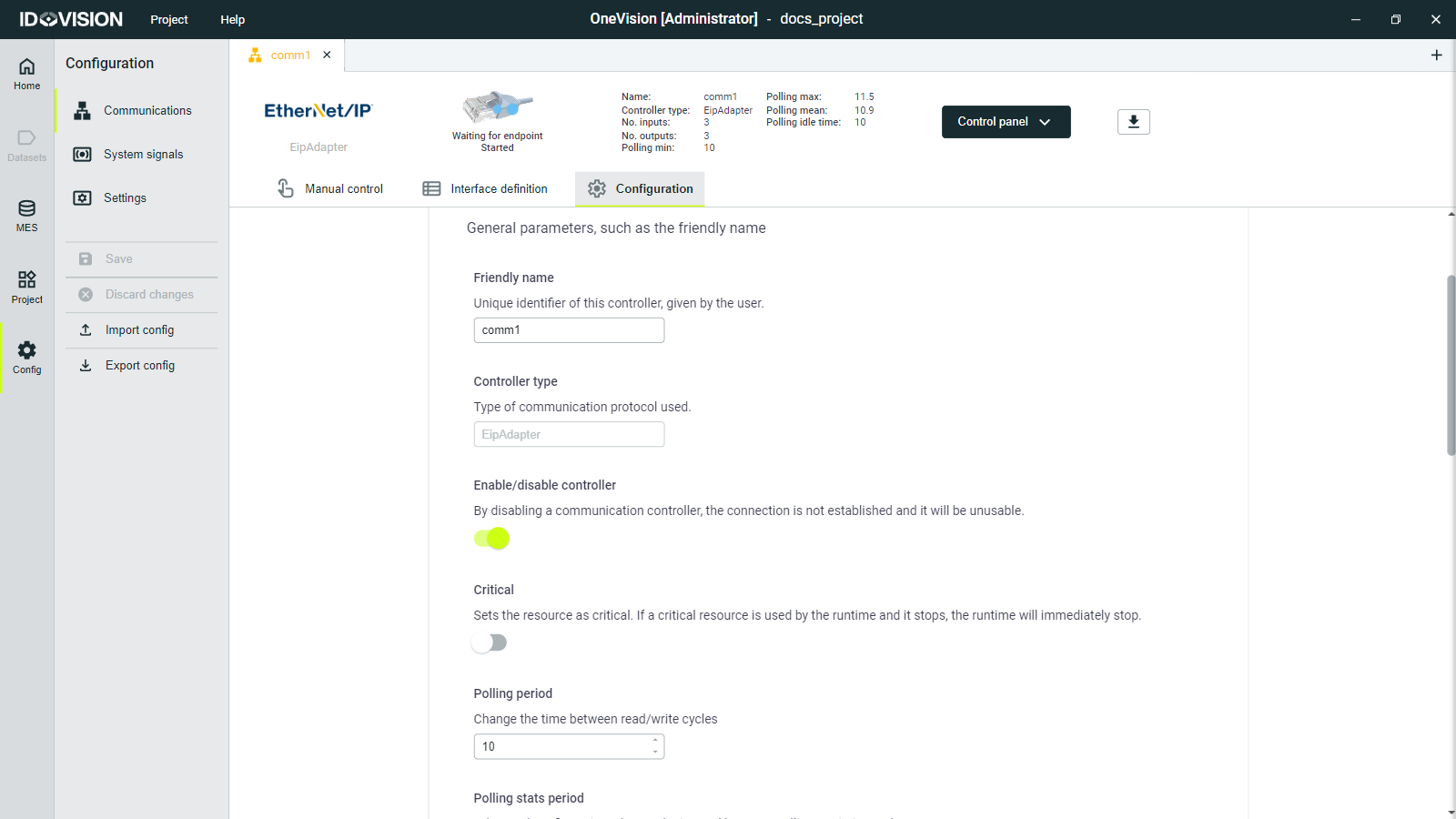
Here you can change some parameters of the controller you can modify:
- Friendly name: Unique identifier for the controller.
- Controller type: Read-only field that shows the controller type.
- Enable/Disable controller: Enables and disables the controller.
- Critical: Sets the controller as critical. If a critical resource is used by the runtime and it stops or disconnects, the runtime will immediately stop.
- Polling period: Change the time between read/write cycles.
- Polling stats period: Change the time between polling statistics updates.
- Recover: When active, makes an automatic attempt to recover after an error.
- Recover internal: Time between automatic recovery attempts.
- Log level: Sets the desired log level for the internal logs of the communications controller. It can also be changed in the Settings section.
Additional parameters will appear depending on the controller type.