User Access Control
The Users menu in OneVision manages internal user accounts intended for generic roles such as production and engineering. These users are not intended for personal use but rather for operational and administrative purposes within the application.
Enable users
To enable the users, go to the Settings subsection in the Config section, and then go to Users. There, select Enable in the Enable users dropdown. Then Save the changes. The predefined users are production and engineering and cannot be changed.
If users are enabled, a Log in button will appeared on the topbar.
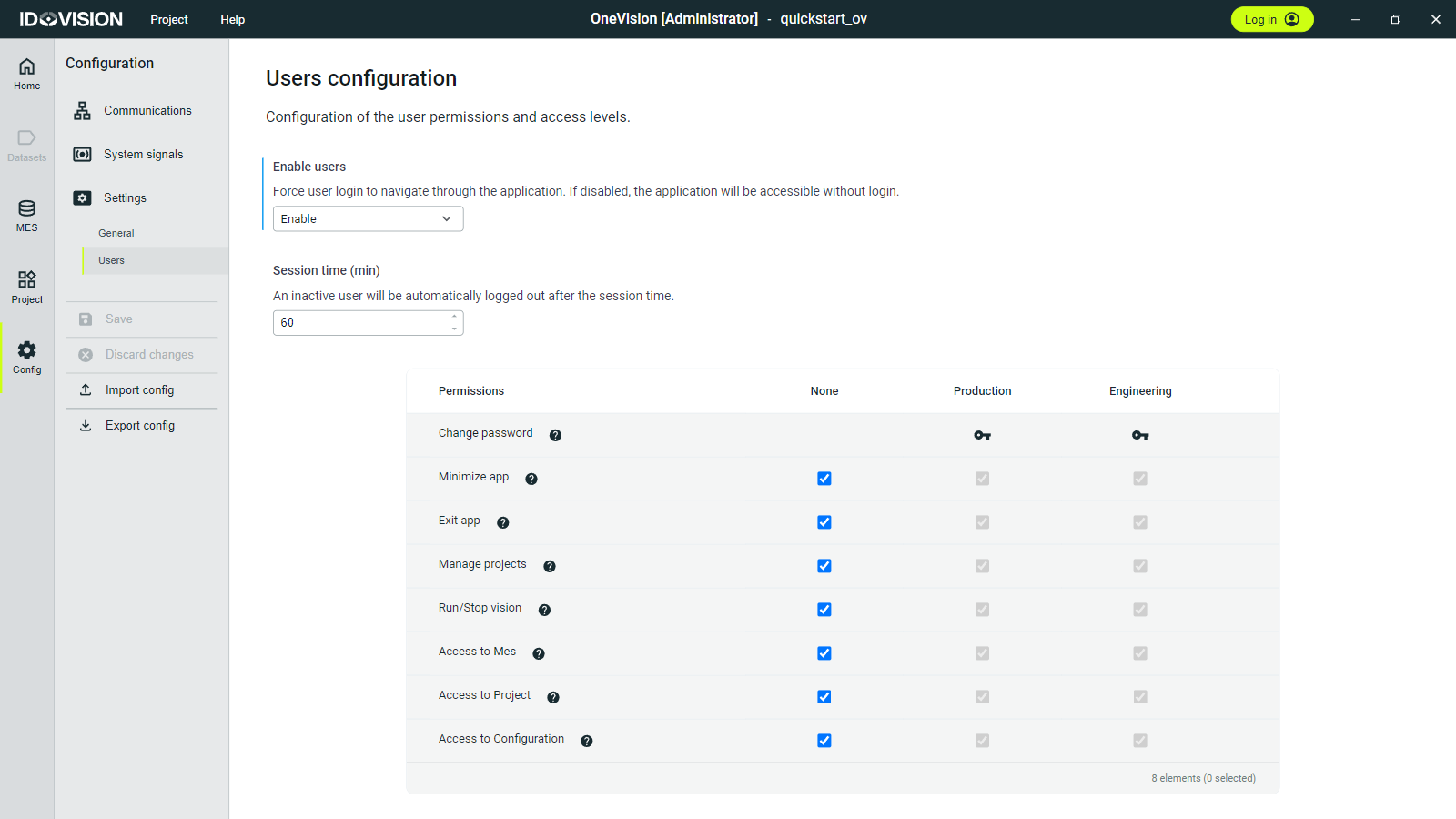
If you have the appropriate permissions, you can use the checkboxes below each user to change that user’s permissions, as well as the permissions for users who are not logged in.
Keep in mind that enabling or disabling users may affect the behavior of certain interactive elements. For more details, see User level restrictions on interactive elements.
Change passwords
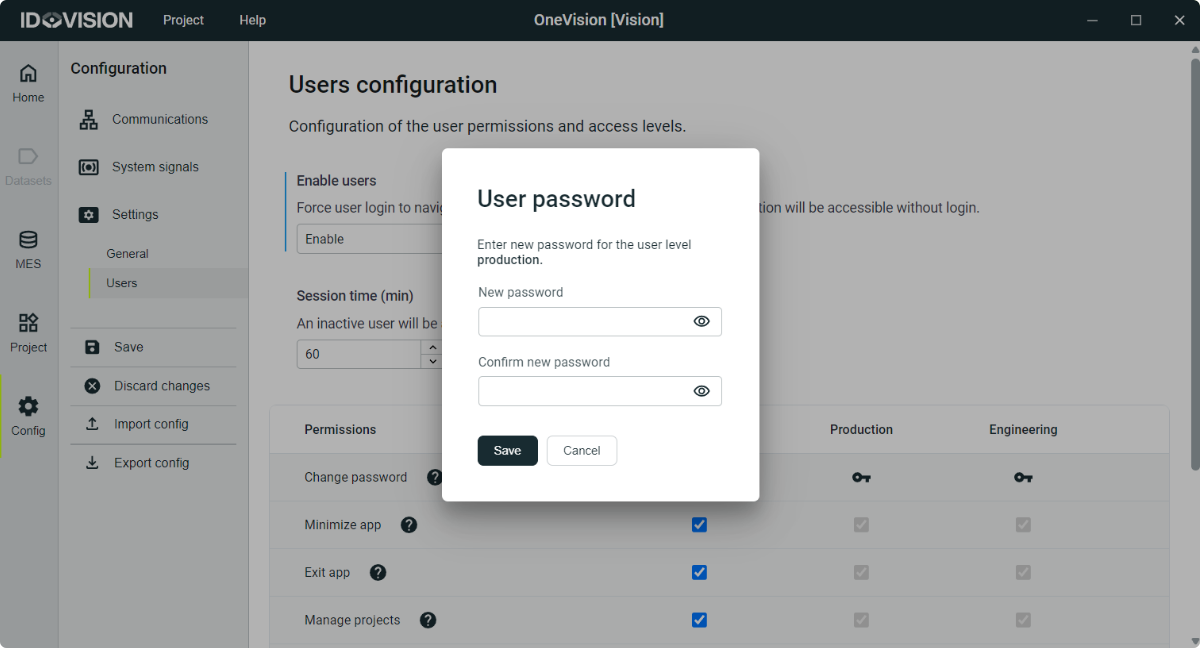
If you have the appropriate permissions, you can change a user’s password by clicking the key icon below their name.