Manual Operation
Once the controller is connected to the camera, you can use the control panel.
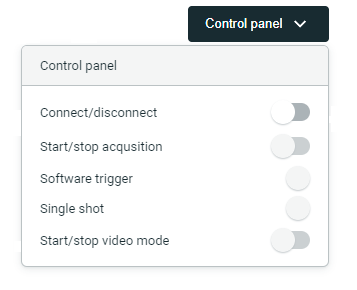
- Connect/disconnect: Switch the connection with the camera on/off.
- Start/stop acquisition: Start or stop the streaming from the camera, with the configured parameters.
- Software trigger: Send a software trigger to the camera. This is only available if the camera supports software triggering.
- Single shot: Capture a single image from the camera.
- Start/stop video: Start or stop the continuous streaming of images from the camera (video mode). This might not be supported by all cameras.
info
By controlling the camera like this you cannot see the captured images.
You can also control the camera manually from the Home section. Read more