Execute the Scripts
From the Project section, you can run your application in debug mode. Debug mode in OneVision is a vital tool for testing and debugging the vision application. This mode allows executing sequences step by step, observing real-time results, and efficiently correcting errors.
You cannot make changes to the scripts during debug mode even if the runtime is stopped.
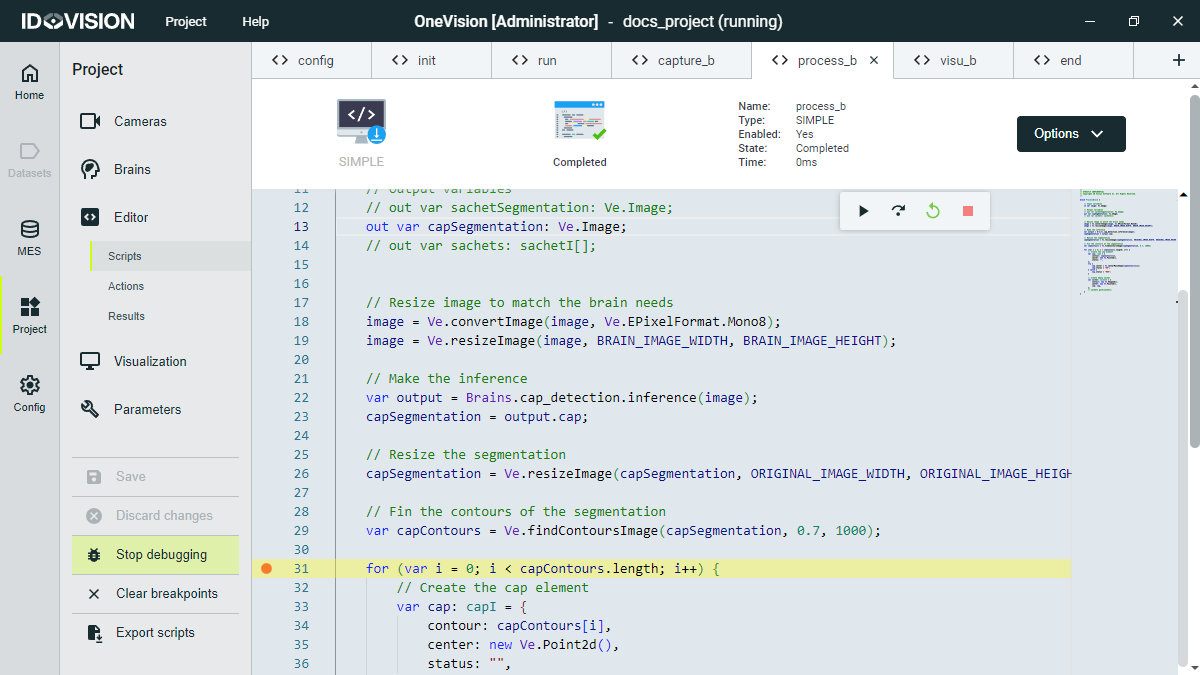
To enter debug mode, click Debug in the Project section menu. The script tabs will look darker and four buttons will appear in the top-right corner of the tabs, allowing you to control the runtime:
- Continue button: starts the runtime or moves it to the next breakpoint.
- Forward button: executes the next line of code.
- Backward button: goes to the previous breakpoint or aborts the runtime if there are none.
- Stop button: aborts the runtime.
In debug mode, you can view the value of the variables by hovering over them when the runtime has reached a breakpoint.
Runtime can also be started from the Home section when you are in debug mode.