Create Unit Results
There is a very important object in OneVision named Unit, where you can store all the information of a single product.
Units are stored in the MES. Read more
A Unit can contain one or more captures (to save the different images of a single product) and additional variables called Unit Results or simply Results. Here we will learn how to create and modify these Results.
You can show a Unit in a image display. Read more
To see the Results, go to Results in the Editor subsection within the Projects section. Here you will see the results table.
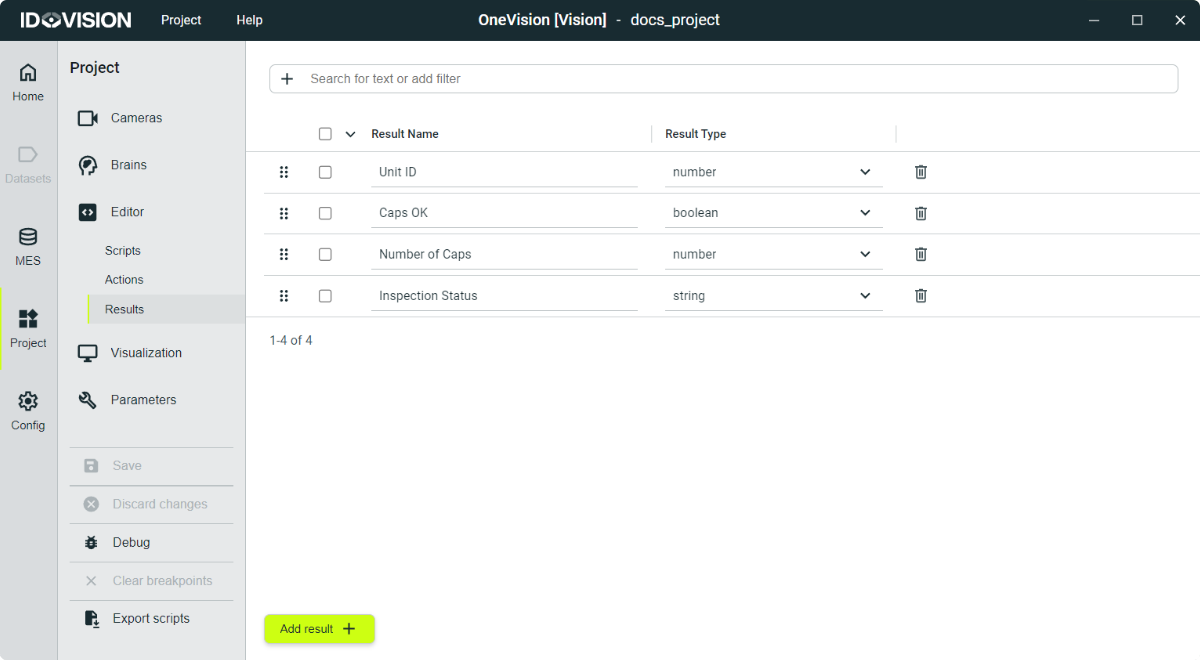
To create a result, click the Add result button at the bottom of the screen, and a new result will appear in the results table.
By clicking and dragging on the black dots to the left of the result name, you can change the order of the table.
Each result has the following fields:
- Result name: The name must be unique.
- Type: The type of the variable linked to the result. It can only be a number, a boolean or a string.